Skill matrices and career levels for growing engineering teams

Simple, affordable, quick to set up

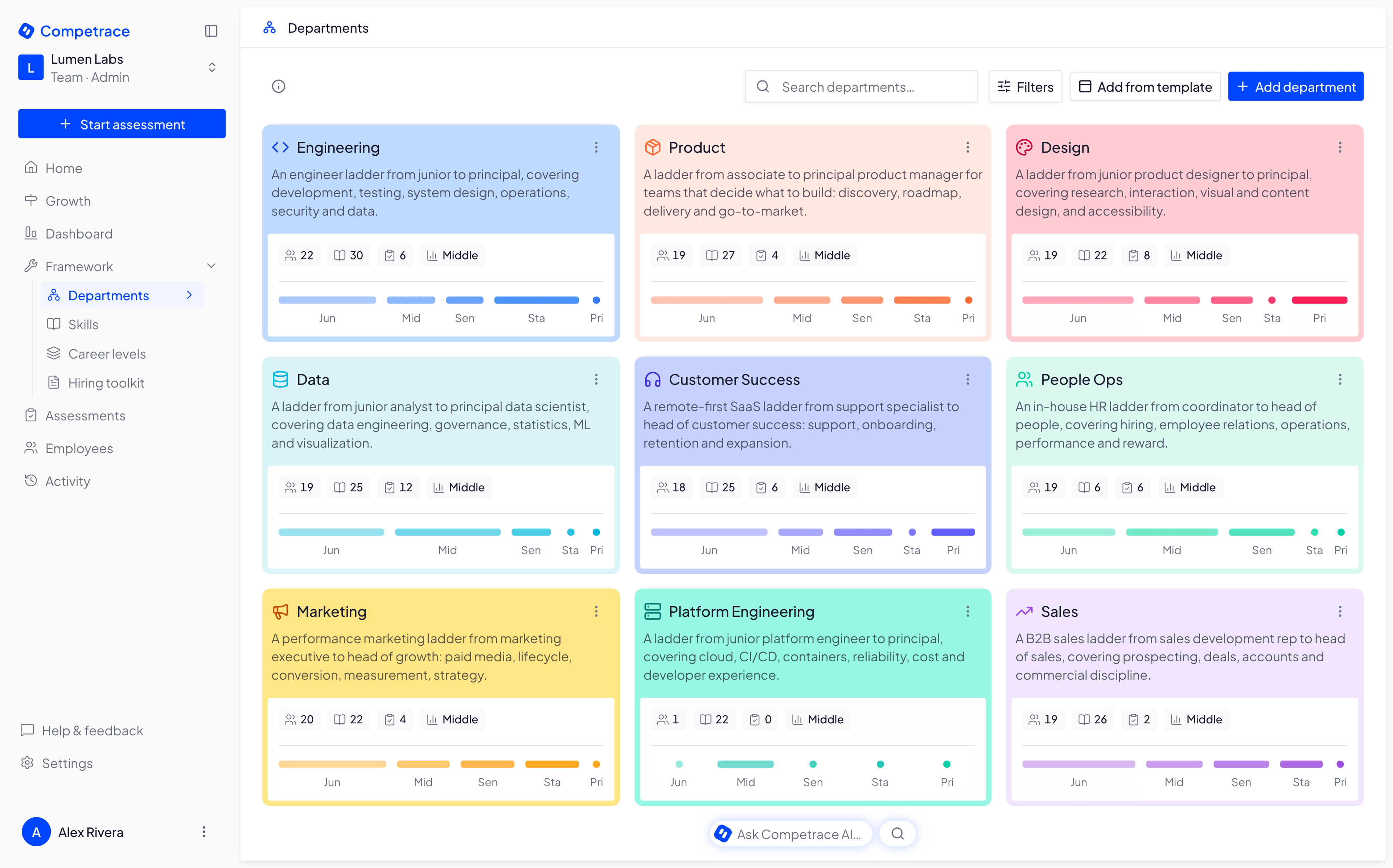
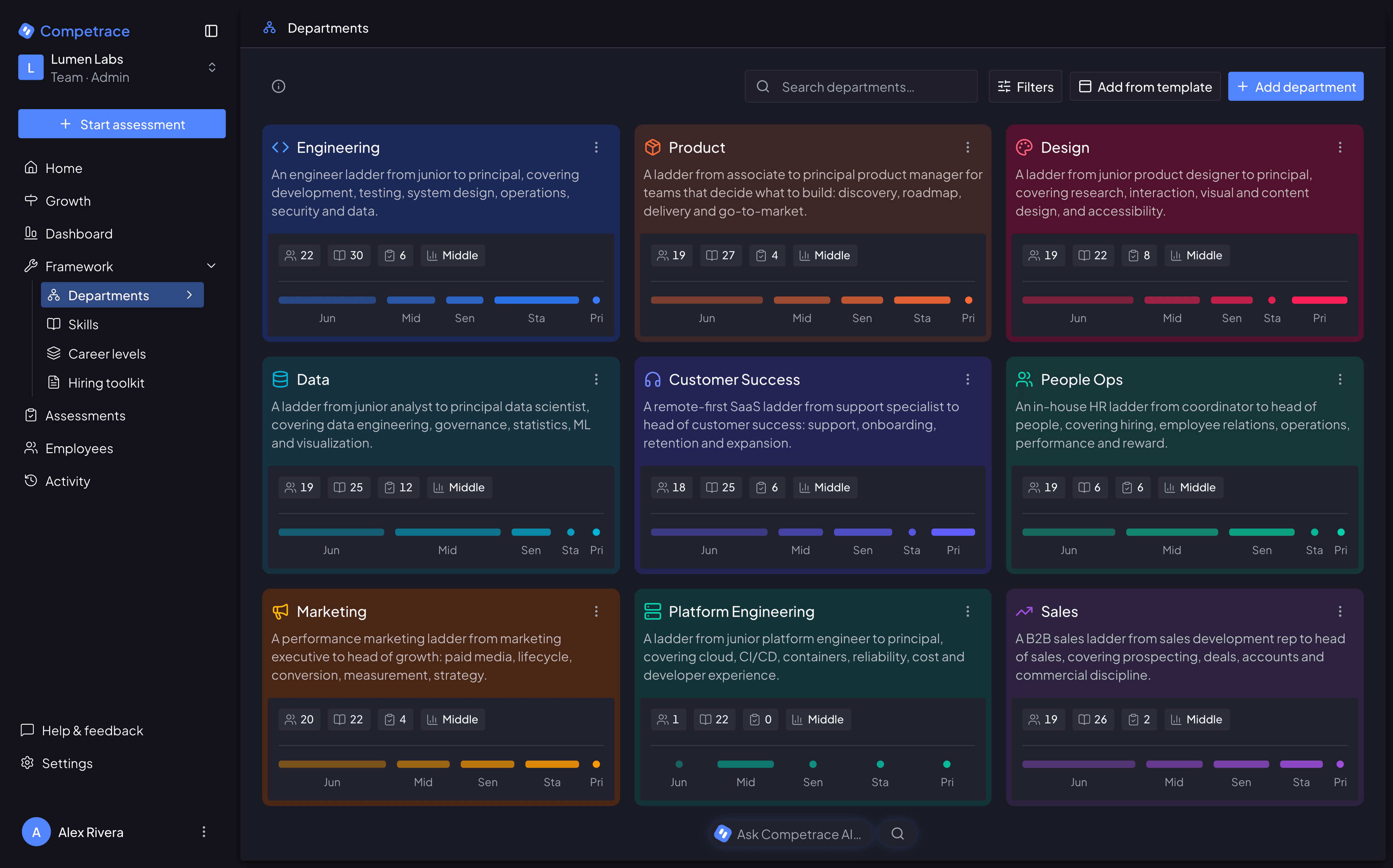
The Competrace departments view: a grid of department cards — Engineering, Design, Data, Marketing, Sales, Customer Success and more — each showing its headcount, how many skills and assessments it tracks, its average career level, and a bar for every level from Junior to Principal.

Promotion decisions on Monday. The matrix hasn’t been updated in six months

Competrace patches the gap in minutes, not days

Without Competrace

  • Who knows React? Good luck finding them.
  • Gut feelings drive promotions, not data
  • No one knows what 'Senior' actually means
  • Company wants X, employees think Y
  • 20+ hours/month on spreadsheet hell
  • Another Monday lost to scheduling meetings
  • Your best engineer just quit — saw no path up

With Competrace

  • Need a React expert? Click -> done.
  • Evaluations based on facts, not feelings
  • Career levels: a checklist, not a guess
  • Company wants X, everyone's already on it
  • From spreadsheet hell to dashboard heaven
  • Meetings scheduled before Monday starts
  • Your best engineer got promoted, not gone

Features

Know who is ready for promotion

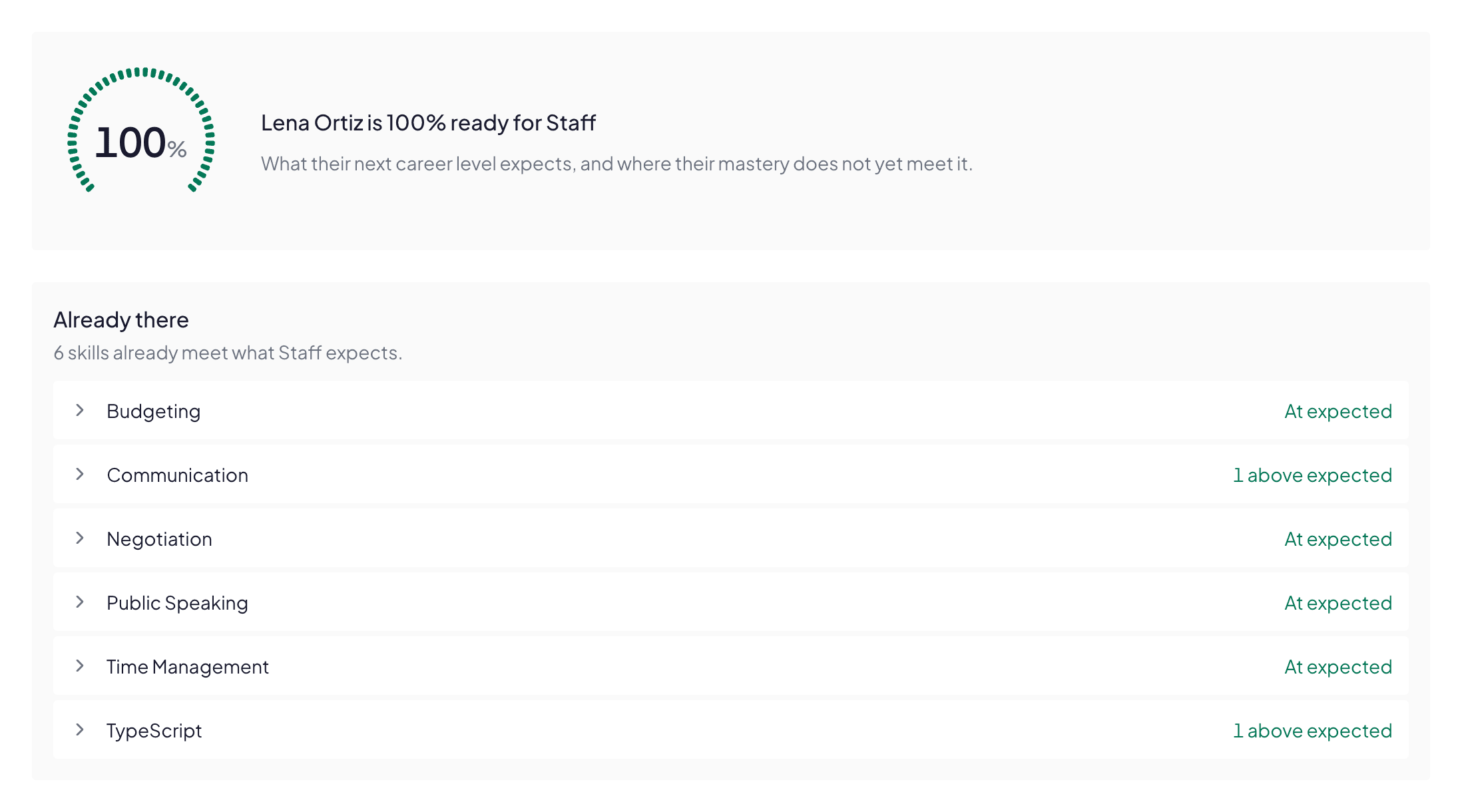
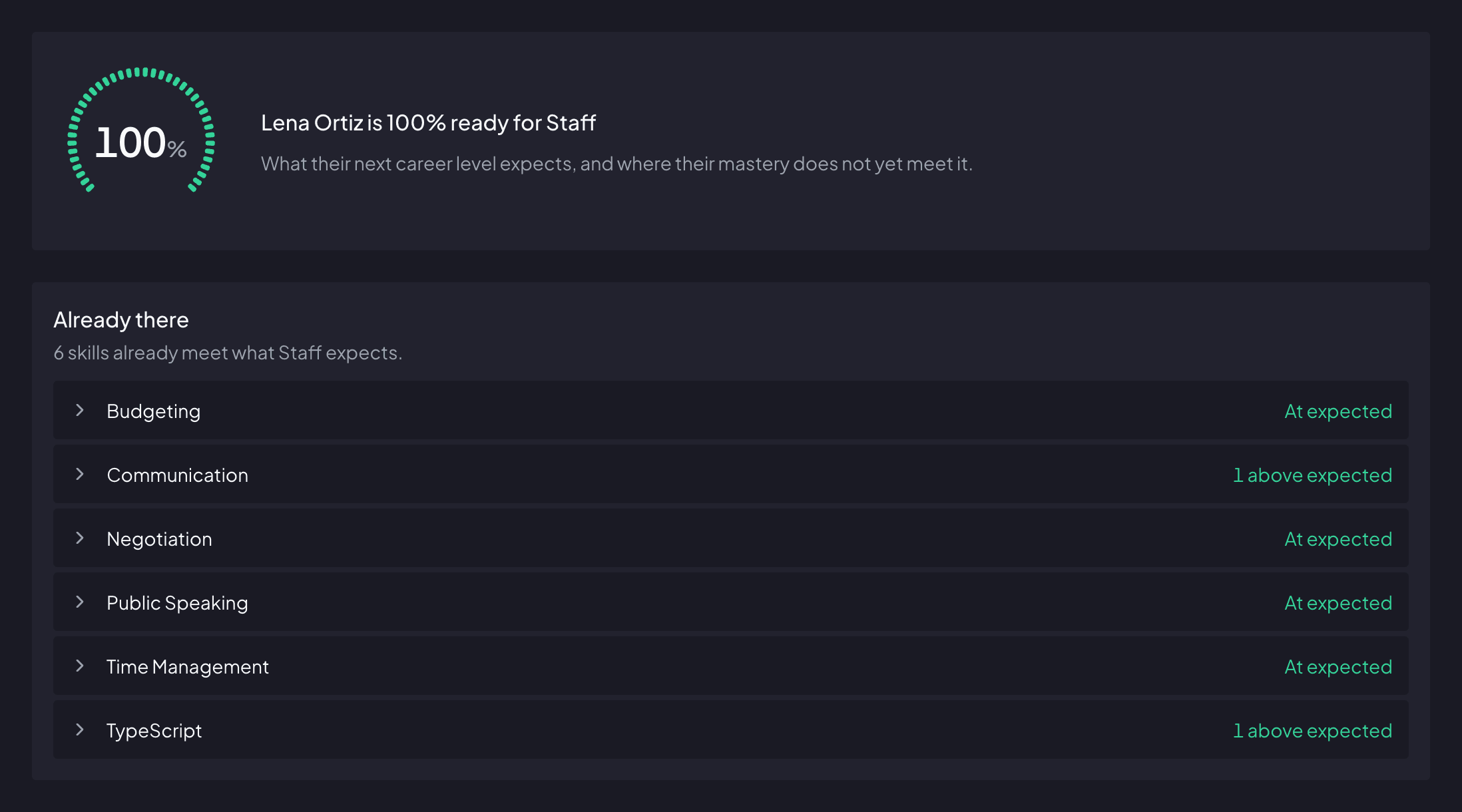
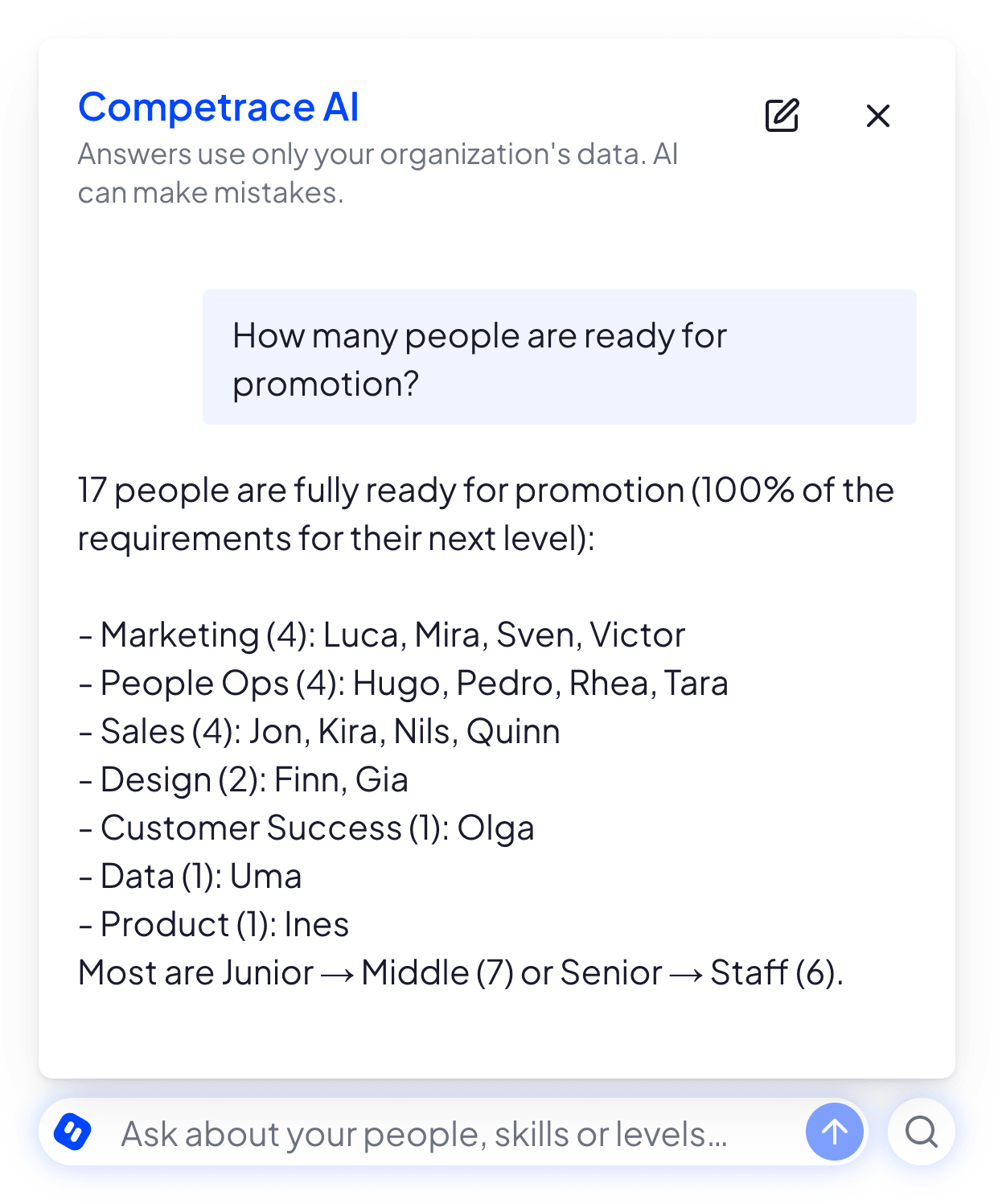
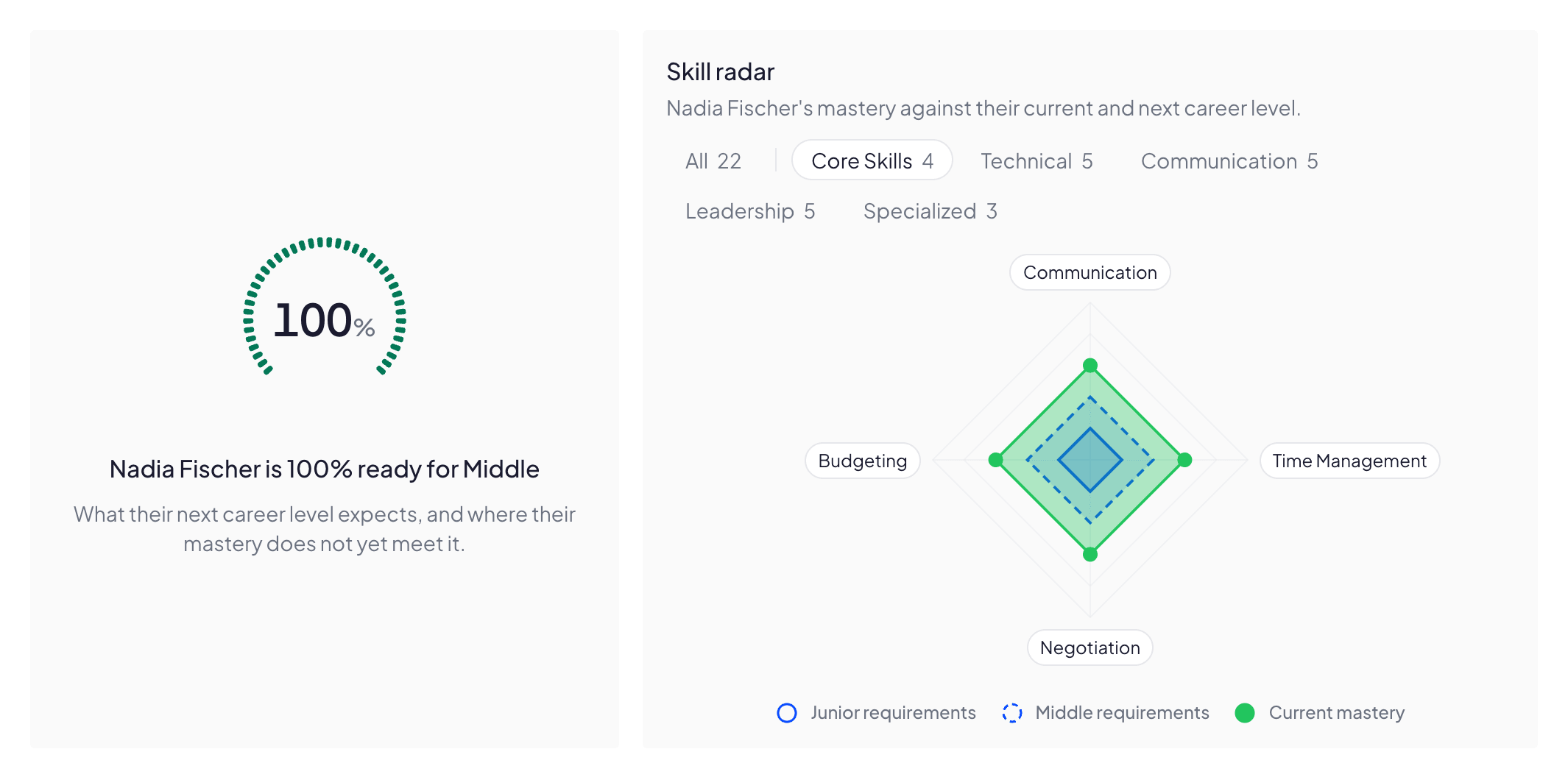
Readiness is the share of next-level skills already met, so at 100% you can promote in one click.

One employee’s profile. Across the top, their name beside the department People Ops and the career level Senior, each on its own control. Under them a gauge drawn as a ring of small notches, open at the bottom and filled the whole way to its end, reading 100% ready, and beside it an active Promote to Staff button.

One consistent evaluation flow

Structured assessment flows keep criteria and scoring identical for everyone in a department, so results can finally be compared over time.
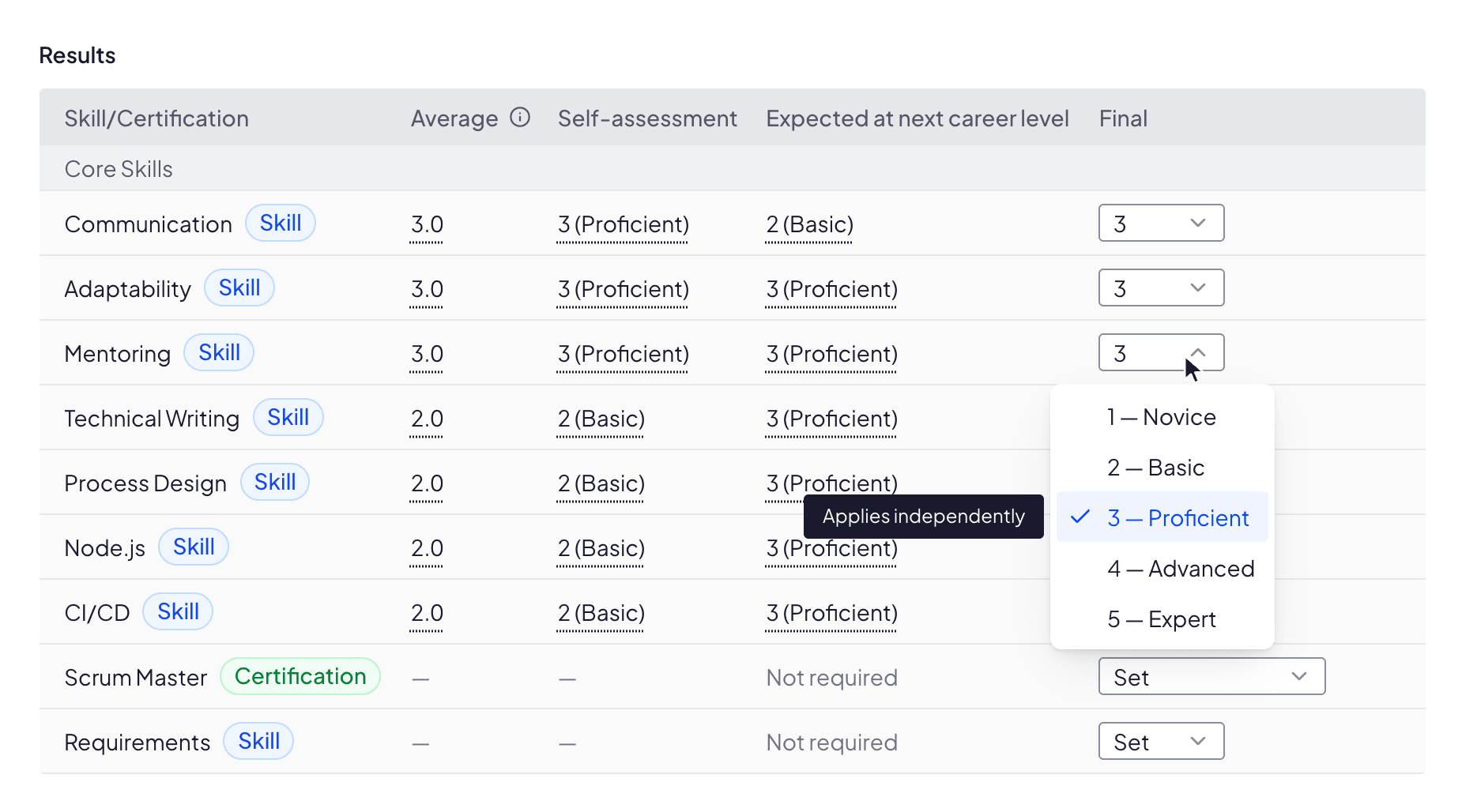
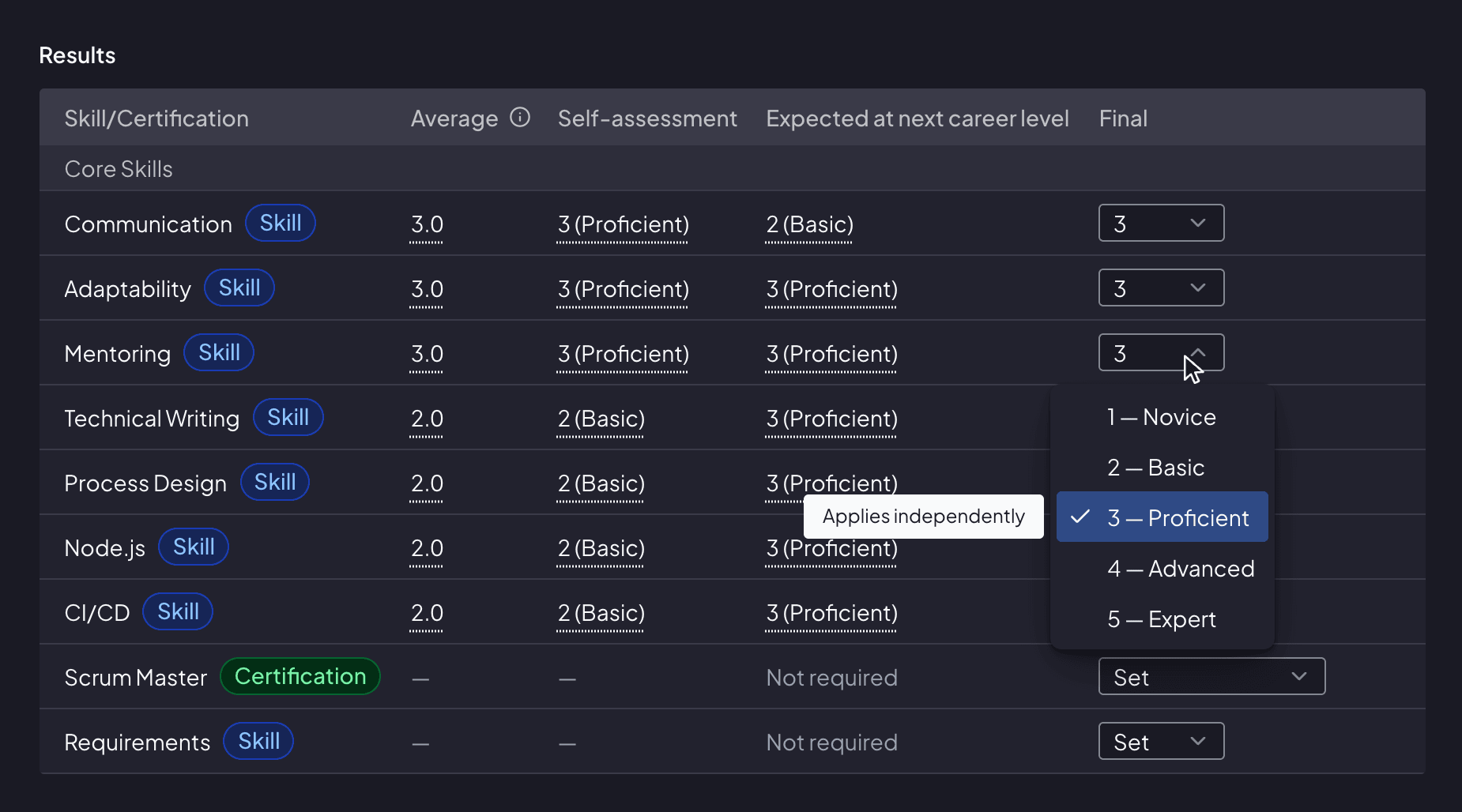
Assessment results for four skills, with columns for the peer average, the employee’s self-assessment and the mastery expected at the next career level. Mentoring meets the expectation; Technical Writing, Process Design and Node.js each sit a level below it. The Final column is a selector, open on the first row so the admin can pick a mark.

Start from a ready-made framework

Whole departments arrive complete: skills, certifications and what each level expects.

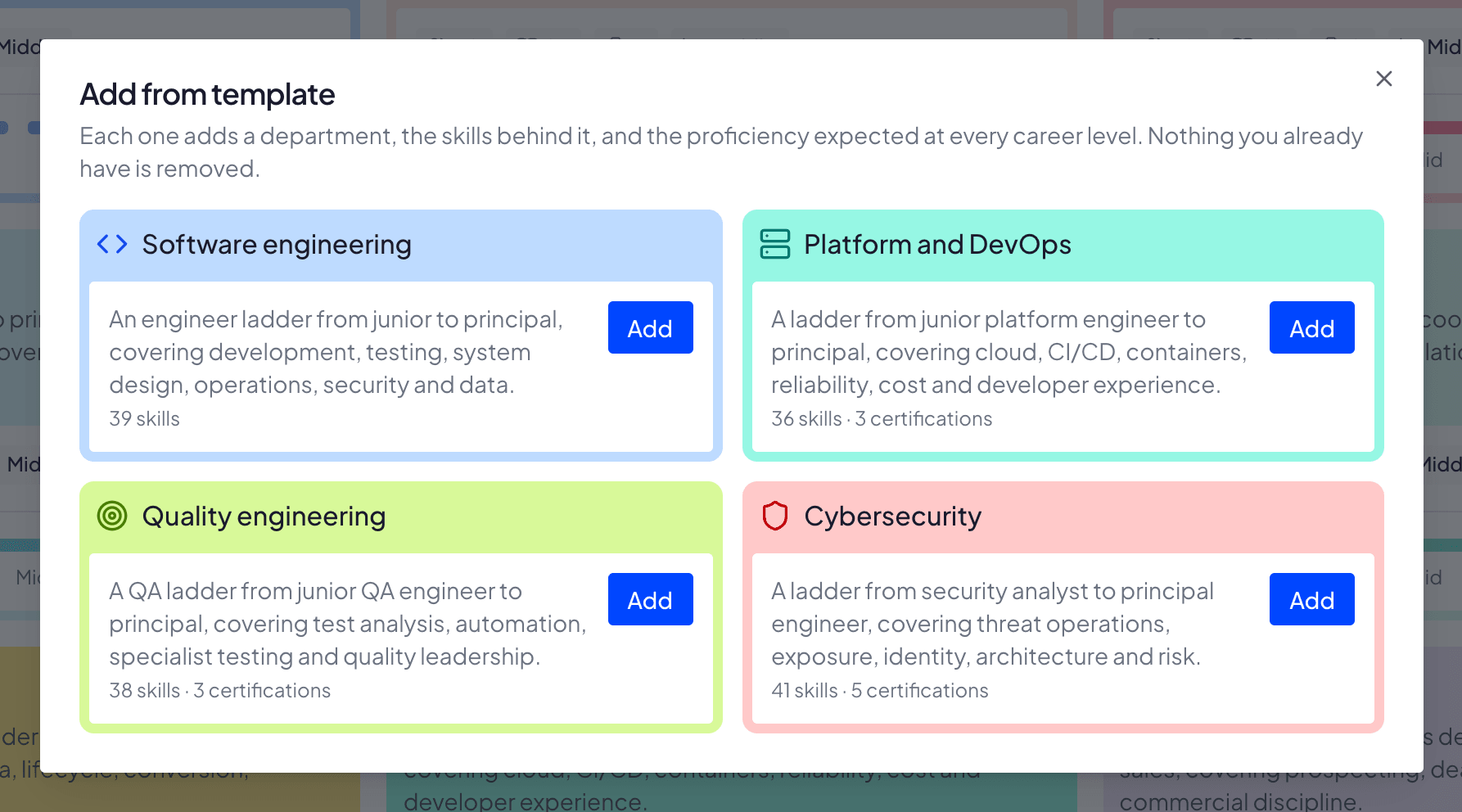
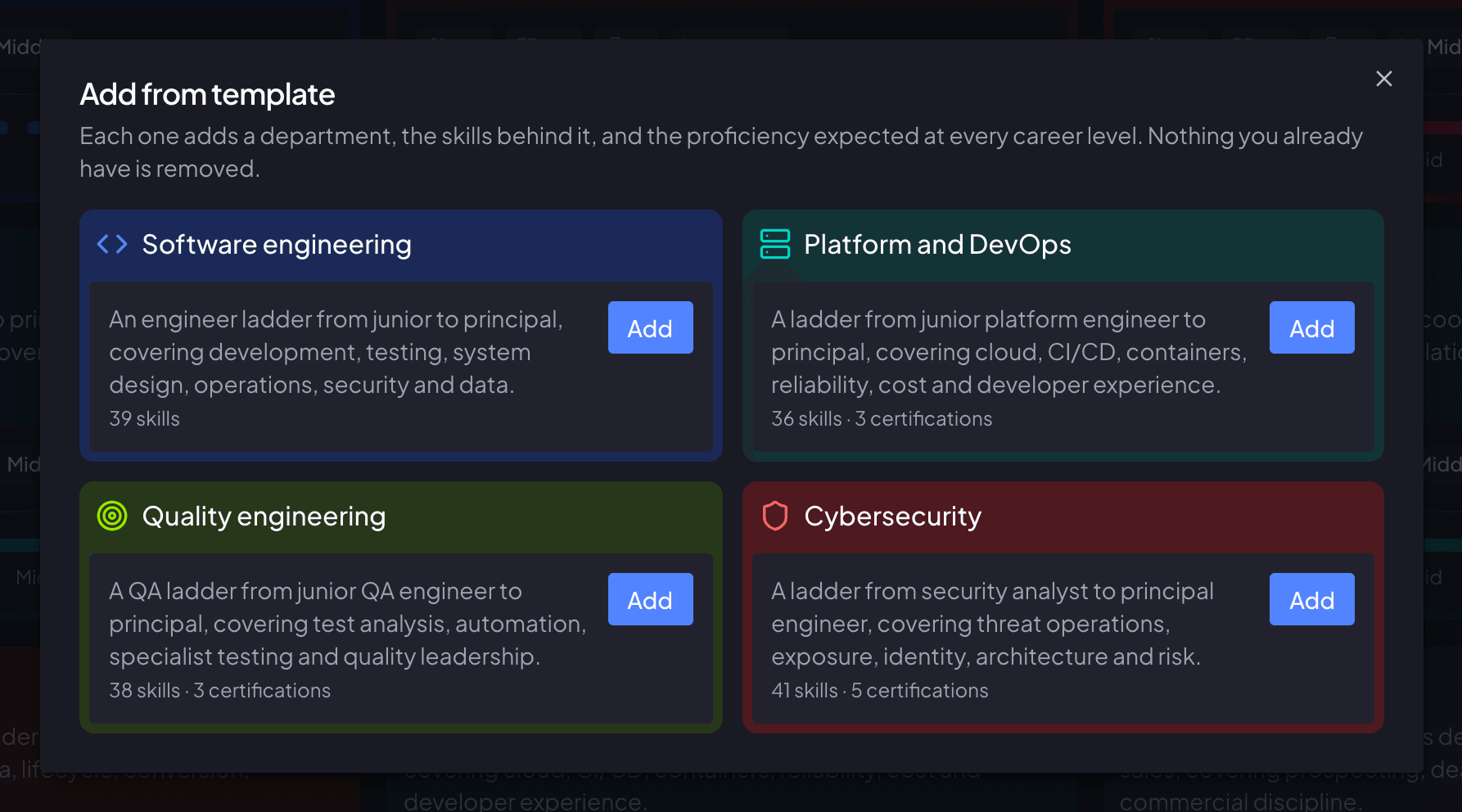
The starter-framework gallery, showing two of the departments on offer. Each is drawn as the department card it creates, headed by its own colour and icon: Software engineering, craft skills for teams that design, build, test, run and secure software, 26 skills. Cybersecurity, a security ladder from analyst to principal engineer, covering detection and response, vulnerability management, identity and access, cloud posture, secure architecture, and governance and risk, 25 skills and 5 certifications. Each carries its own Add button.

Job descriptions that write themselves

Pick a department and a career level, and what you defined comes back as vacancy text.
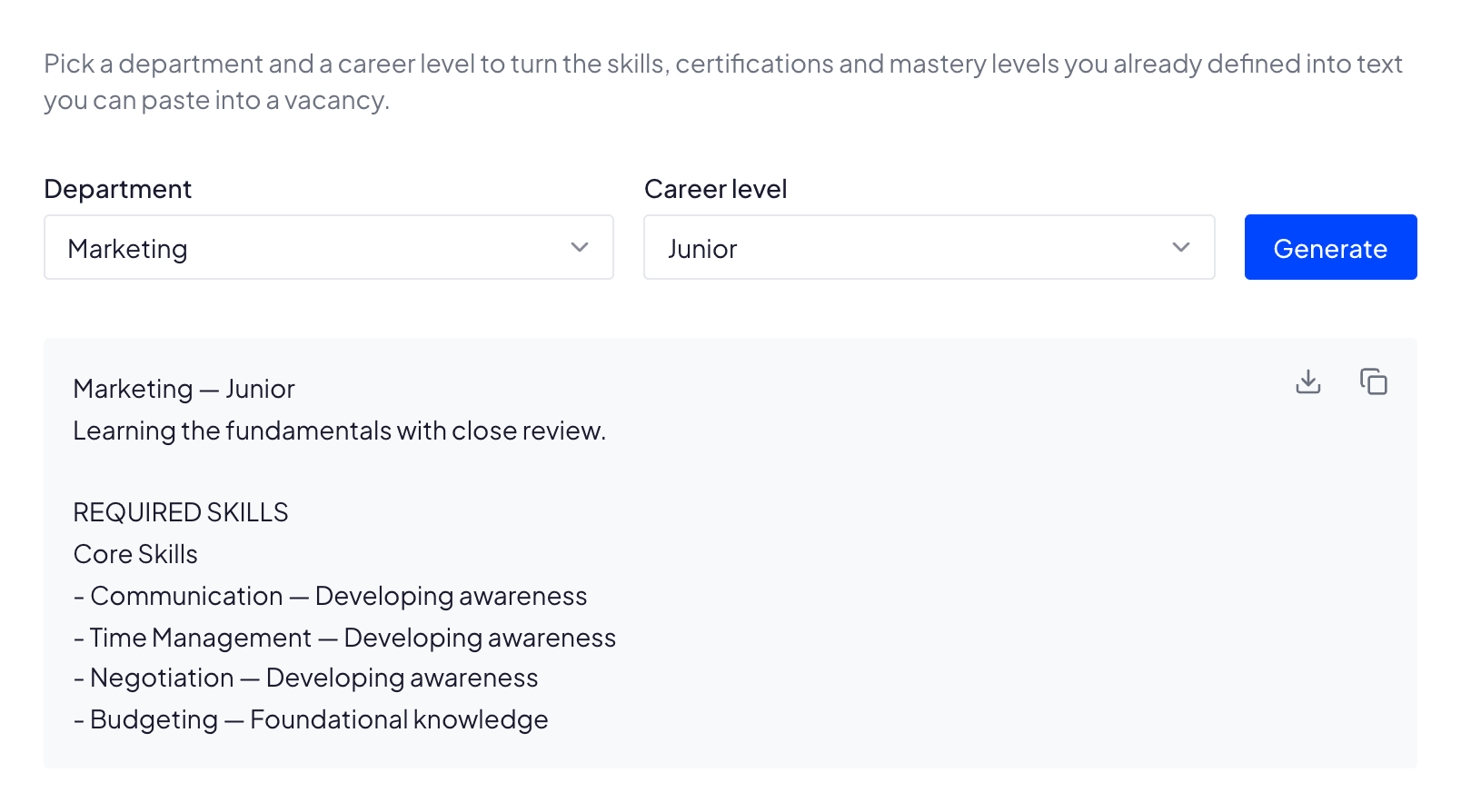
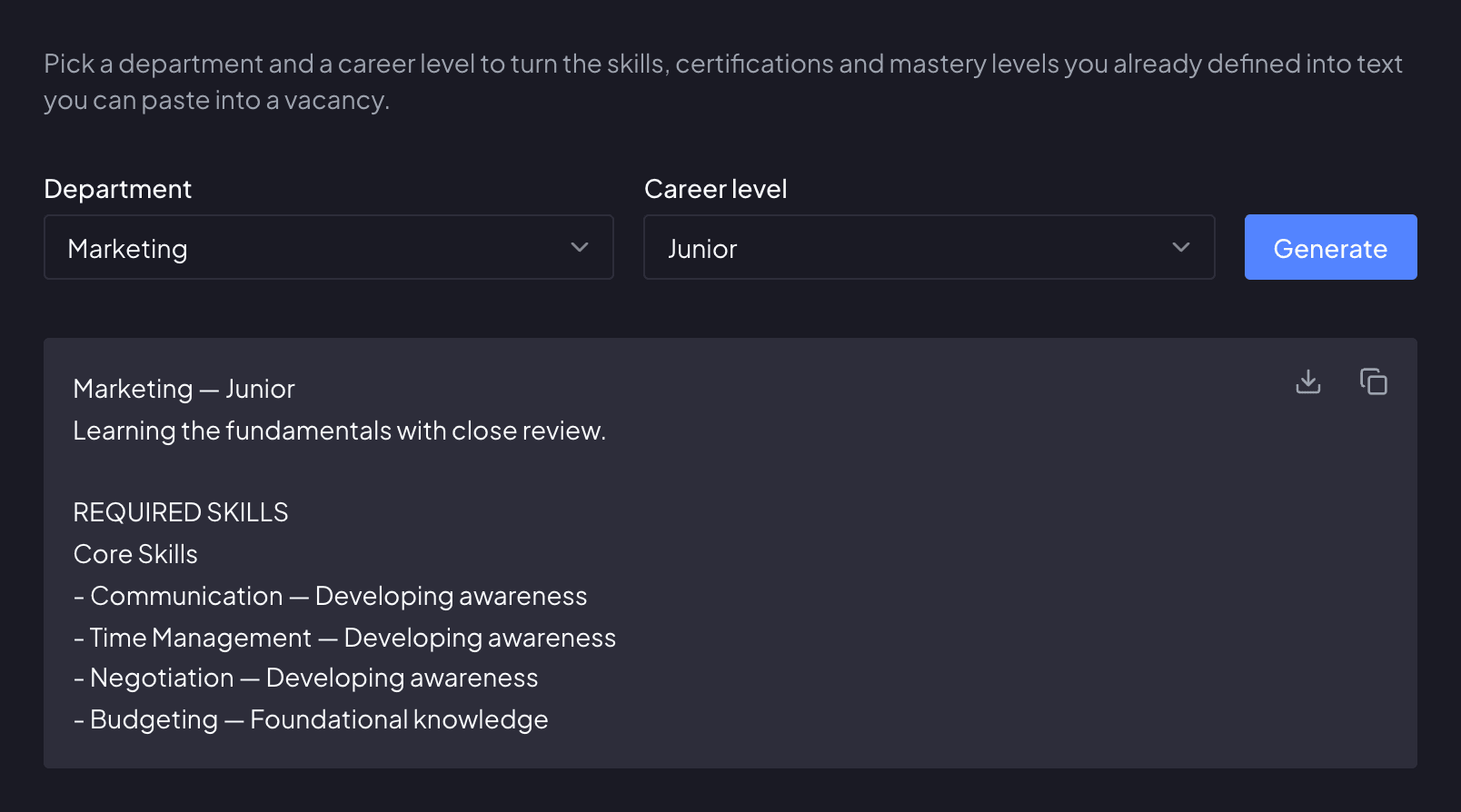
Two dropdowns, one holding the department Marketing and one the career level Junior, beside a Generate button. Below them, the profile that was generated from that pair: its heading, what is expected at Junior, and the start of its required-skills list — under Core Skills, Copywriting, drafts on-brand copy from a brief.

See every skill gap at a glance

Live dashboards and skill matrices surface every gap across people, teams and roles.

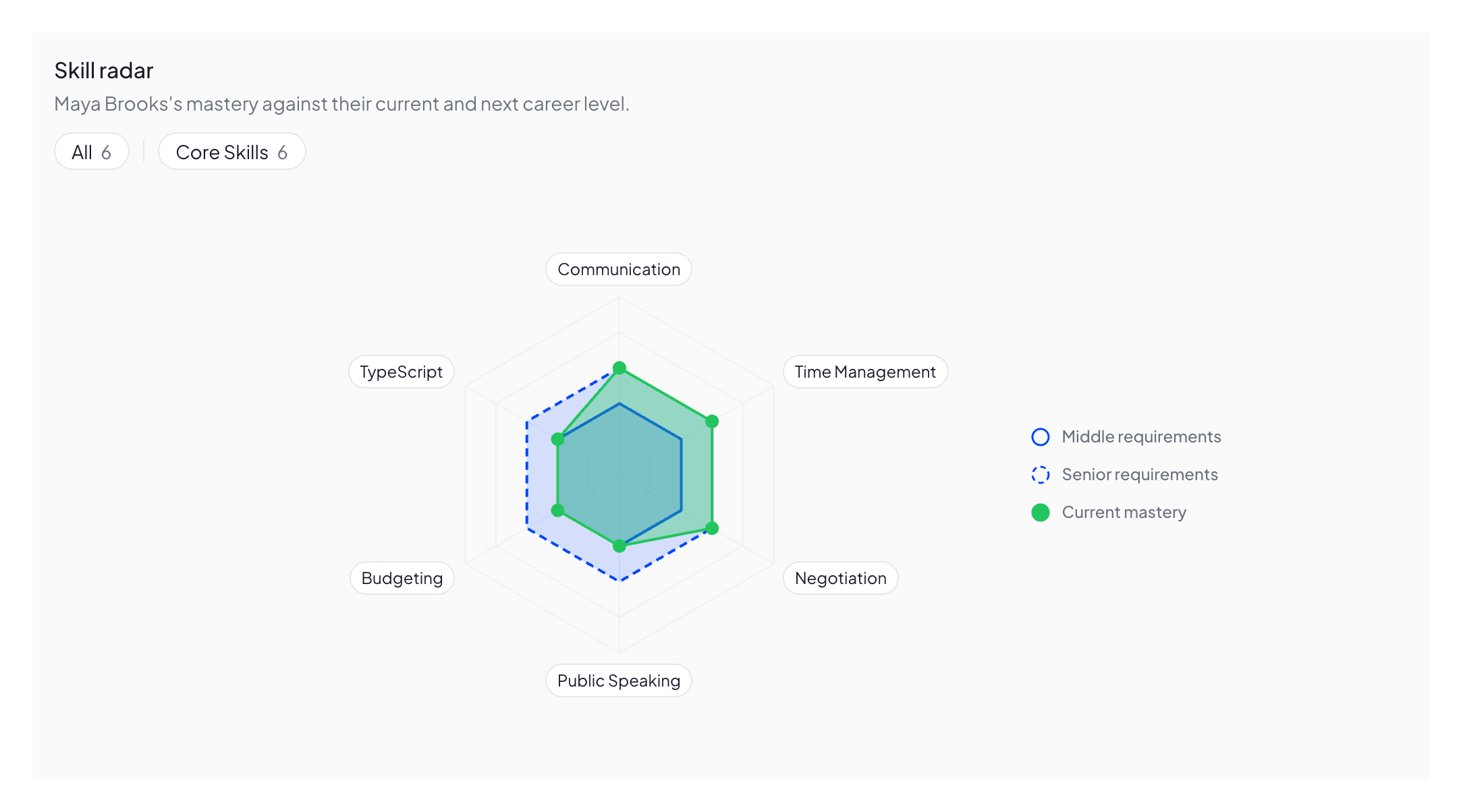
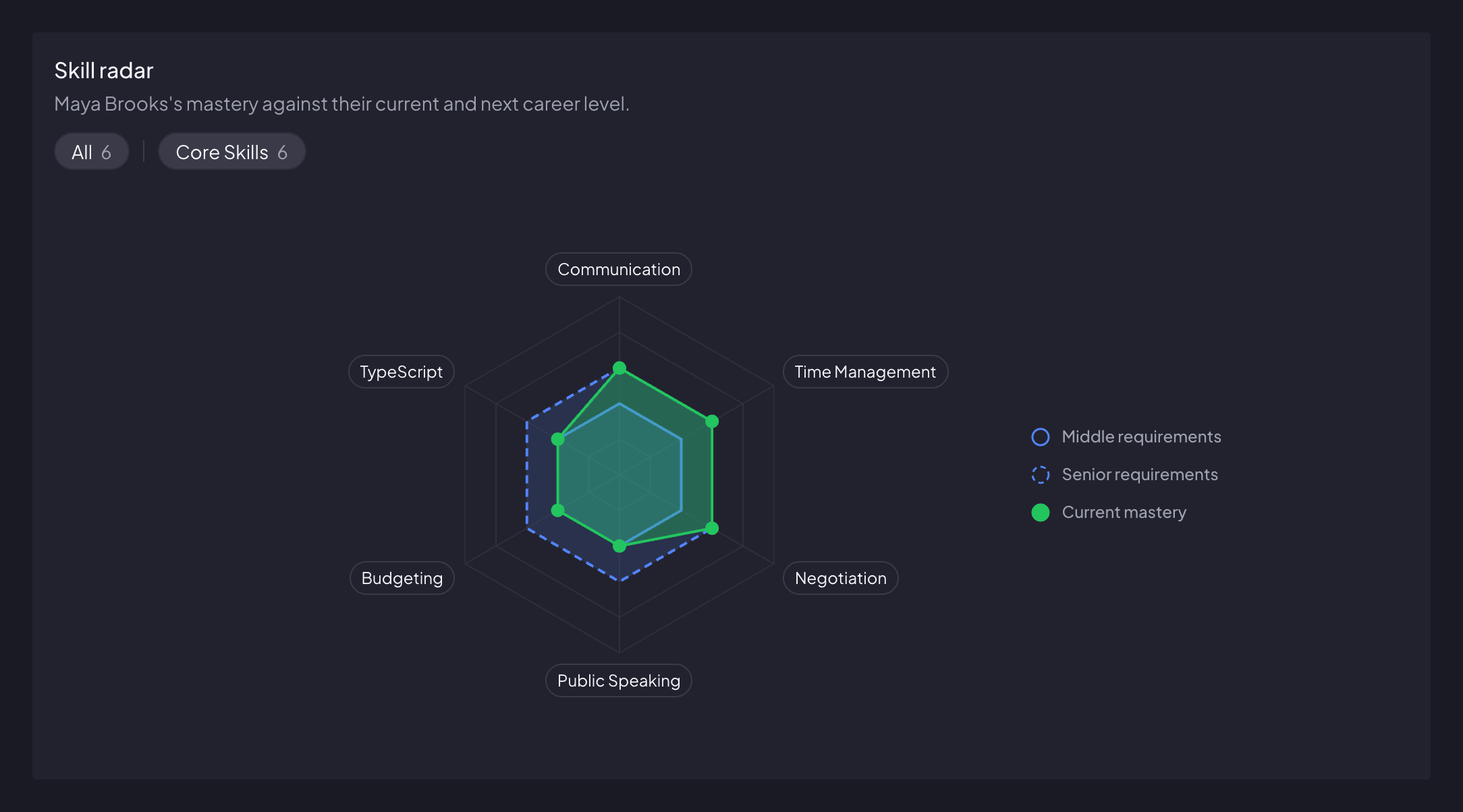
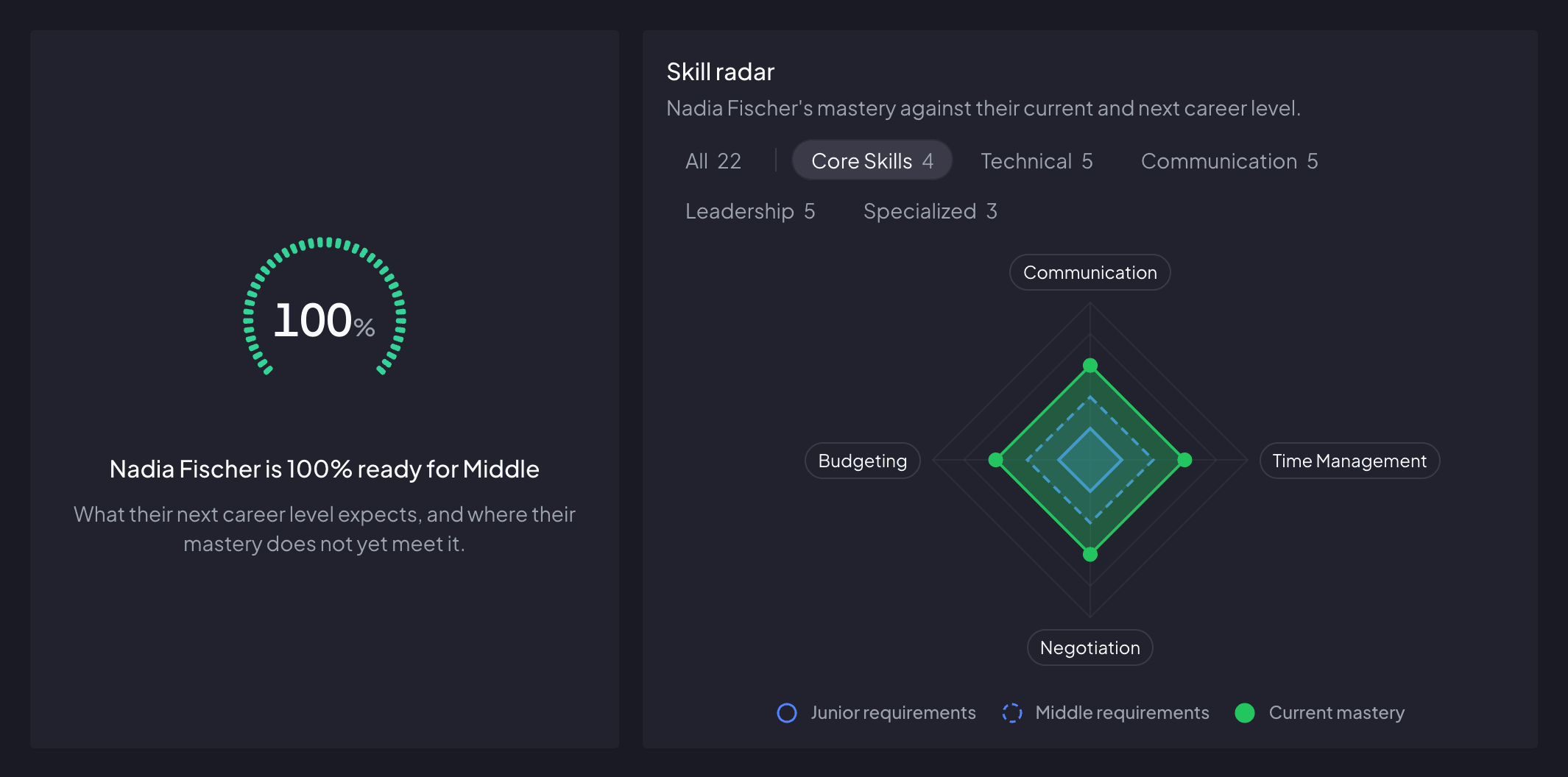
A radar chart of one employee’s seven skills — Communication, Leadership, Problem Solving, Project Management, Stakeholder Influence, Strategic Thinking and Technical Writing. Their current mastery is drawn against two rings: what their own career level requires, and what the next one does. Two skills sit at the level they already hold and so fall short of the next one, two meet it, and three go beyond it.

Benefits

Track skill development, automate assessments, and help your team grow with clear career paths

Open career ladder

with clear visibility into growth paths

Personal goals aligned

with company goals

Milestone-based career

not time-based

See the frameworks before you sign up

12 departments, five career levels each, 60 job descriptions with the skills and the mastery expected at every rung. No account needed.

How it works

Start with a pilot team in 30 minutes
1
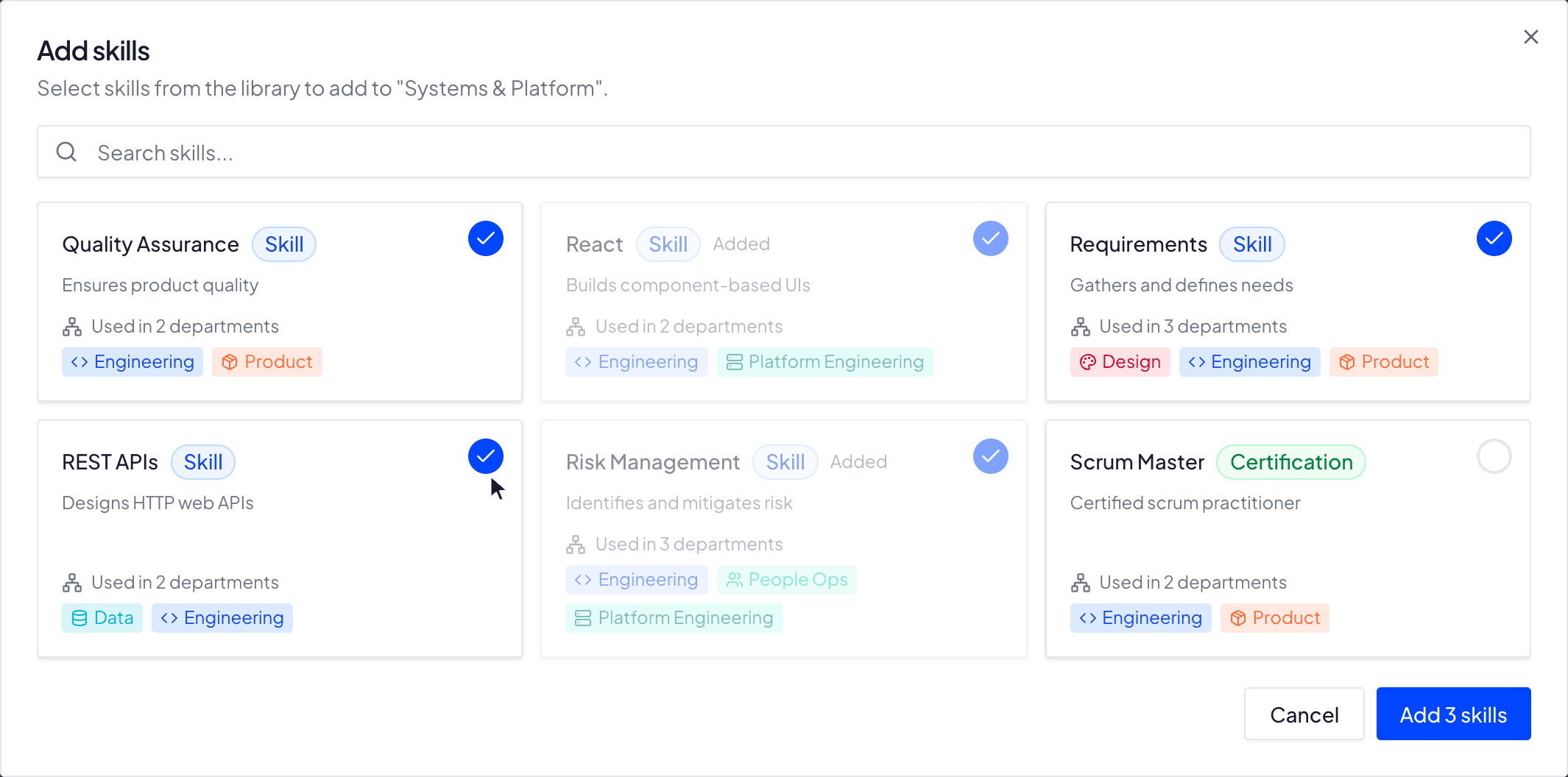
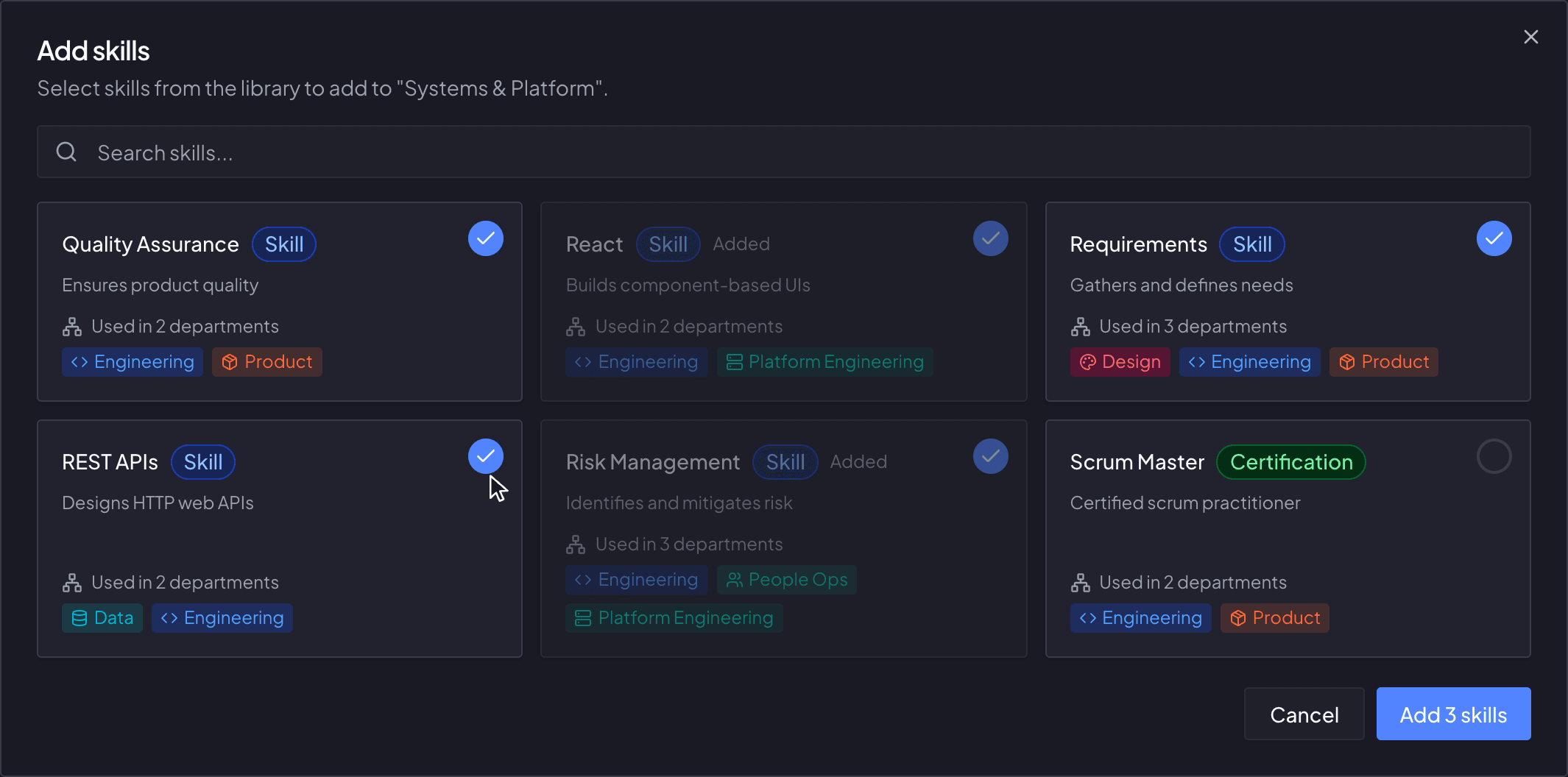
A dialog for adding skills to a department, open over its board. Six entries from the shared library - five skills and one certification - are laid out as cards carrying a one-line description and the departments already using them; three are ticked, two are grayed out as already added and one is still unticked. The footer button reads Add 3 skills.

Set up your framework

Define career ladders, skills, and competencies tailored to your organization.

Pricing

Simple plans that grow with you

Free

Perfect for small teams or a pilot department

$0forever
  • Up to 10 users
  • Role-based permissions
  • Tracking dashboard

Team

For growing teams

$50/mo excl. tax
  • Everything in Free
  • Up to 50 users included
  • +$0.50/user over 50 users
  • Priority support
Competrace is free for teams of up to 10 users. Larger teams move to the Team plan — $50/month for up to 50 users, plus $0.50/month for each additional user beyond that.
A user is any teammate with access to your workspace. Admins invite people by email and can remove members whenever the team changes — so you only keep seats for people actively using Competrace.
No. Signing up directly only ever creates a new organization — there is no way for an outsider to find yours and add themselves to it. The only way into an existing workspace is an email invitation from one of its admins, so your admins decide exactly how many active users you are billed for.
Yes. An admin cancels the Team plan from Settings — your team keeps Team features until the end of the current billing period, then moves to the Free plan, and you can re-subscribe anytime. The Free plan never expires, so there is nothing to cancel there. Membership is separate: an admin adds and removes people from the Employees page, and the last remaining admin must transfer the admin role to someone else before they can be removed.

Pricing calculator

users
Recommended planTeam
Your price
$50.00/month

Team plan covers your team

FAQ

Straight answers about how Competrace works
Yes — the framework is yours. Your admins write the skill catalog, spell out what each mastery level means for a given skill, name every rung of the career ladder, size the mastery scale to between 5 and 10 named levels, and set the expected mastery for every skill at every level, per department. A new workspace arrives seeded with career levels, a five-level mastery scale and a starter skill library, so you begin by editing rather than staring at a blank page.
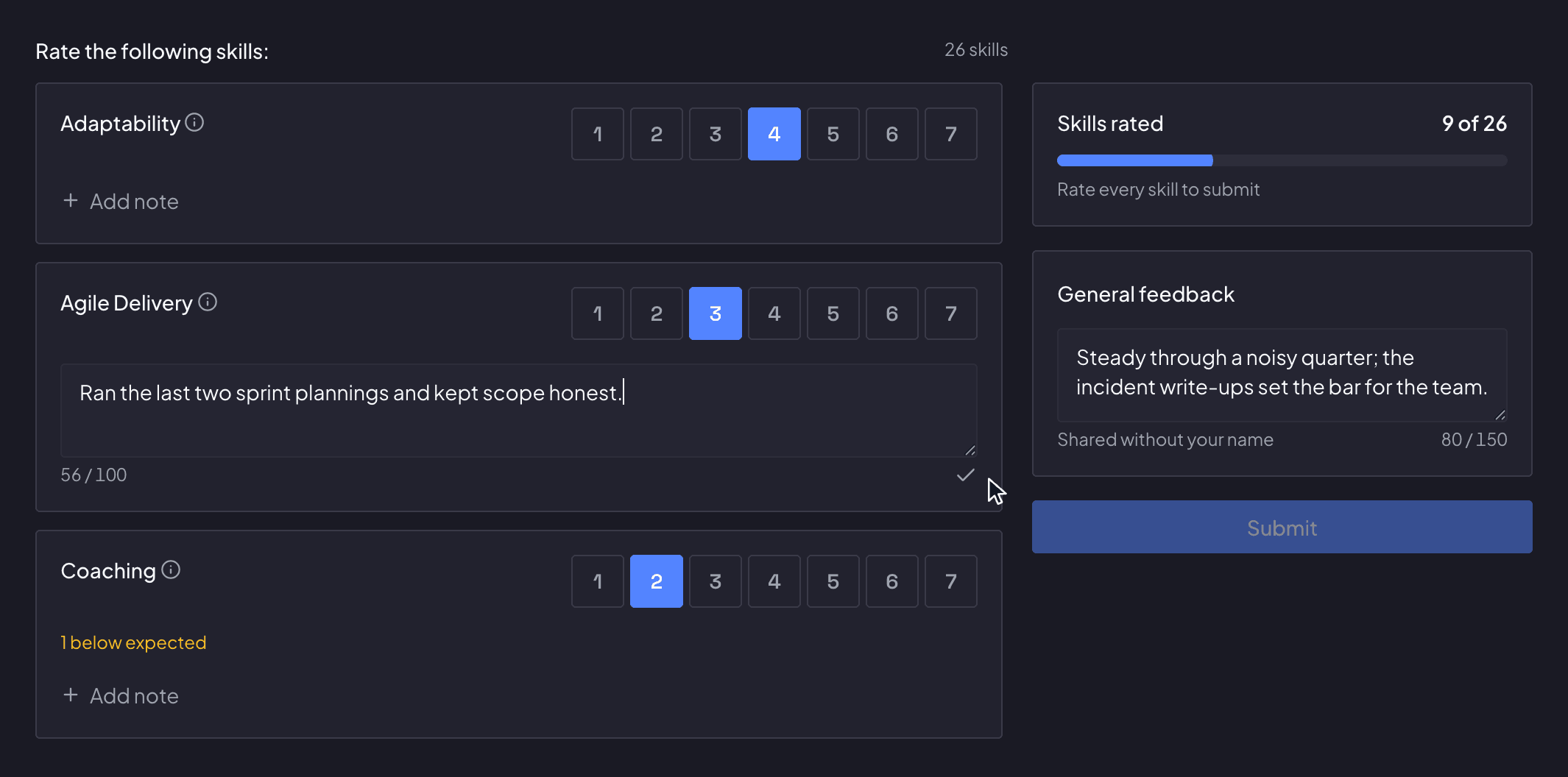
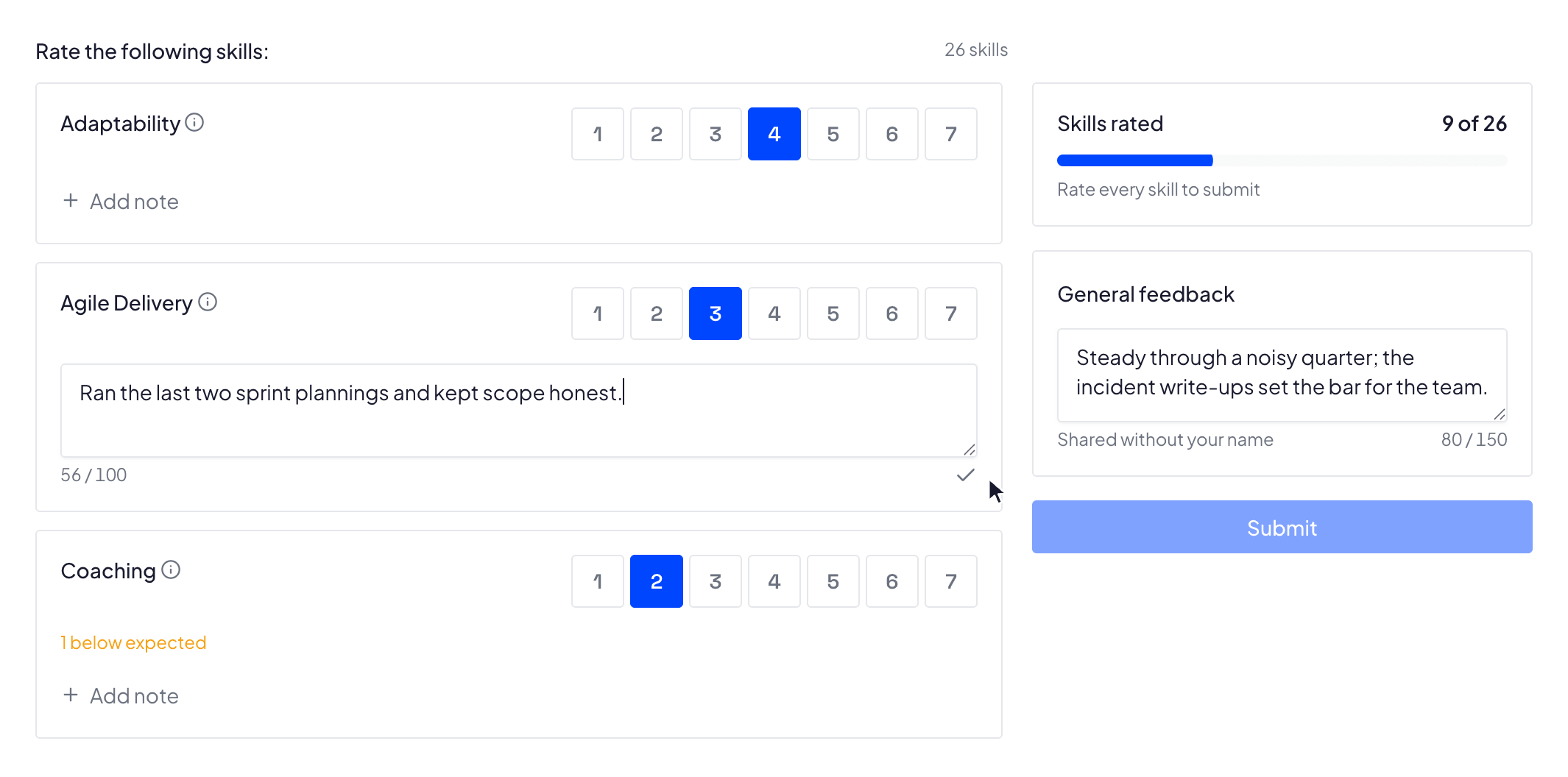
Yes. An admin assigns as many assessors to one employee as they like — including the employee themselves, which is how self-assessment works — and each rates the required skills independently. The results table then puts the peer average, the self-assessment and the next career level's expectation side by side. A whole team's assessments can be started in one go, sharing the same roster of assessors.
Yes. Written feedback is pooled with no name, no number and no label — not even a stable "Assessor 1" that could be tracked across page loads — and that stripping happens in the database, not just in the interface. Assessors cannot see each other's ratings, or even who else was asked. The person being assessed never sees individual assessor submissions. Your own admins, who set the assessment up, can see who scored what — but the written comments reach them unattributed too, and only once every assessor has submitted.
Any employee with a department, a career level and a rung above theirs gets a radar of the skills that next level requires, plotting their latest assessed mastery against two rings: what their current level expects and what the next one does. Past a dozen skills it becomes a list sorted by shortfall instead. Admins also get the department matrix and a dashboard that rolls everything up — average mastery across the org, career-level distribution per department, and how many people are overdue for a review. Employees see their own radar on their Home page, drawn at the same scale.
Readiness is a plain ratio, not a hunch: of the skills their department requires at the next level, the share where their latest completed assessment already meets that level's expectation. The admin dashboard ranks who is closest to their next rung, and once someone reaches 100% an admin gets a one-click Promote button on their profile, behind a confirmation step. The employee is emailed about it, with no admin name attached.
From the framework you already built. In the hiring toolkit an admin picks a department and a career level and gets vacancy text back: the required skills grouped by your own categories, each written out at the mastery that level expects, plus every certification the level inherits, labeled with the rung it starts at. Copy it, or download it as a .txt, and paste it into your job posting.
By invitation. An admin sends an email invite — each link is valid for 7 days — and can pre-assign the person's department and career level, so they land straight in your workspace already placed on the framework.
Yes. Every organization is isolated in the database itself, so your skills, assessments and people data are only ever visible to your own members. Inside your workspace the management views — dashboard, framework, employee administration, assessment setup — are admin-only; a regular member sees their own Home and profile, their settings, and only the assessments they are personally part of.